· retrotech · 6 min read
WordPerfect vs. Microsoft Word: The Ultimate Showdown of the 90s Office Giants
A nostalgic, hard-nosed look at how WordPerfect and Microsoft Word battled for office dominance in the 1990s - features, strategies, and why some users still love WordPerfect.
It begins with a single stubborn line of code.
In the early 1990s a court reporter in a courthouse basement could make a 40‑page brief look like a small, perfectly typeset novella because she could see, and surgically edit, every single formatting command in her file. Across town, a marketing manager created a glossy one‑pager in a few clicks and then sent it to the desktop publishing team for polish. Two different philosophies. Two different tribes. Same office building.
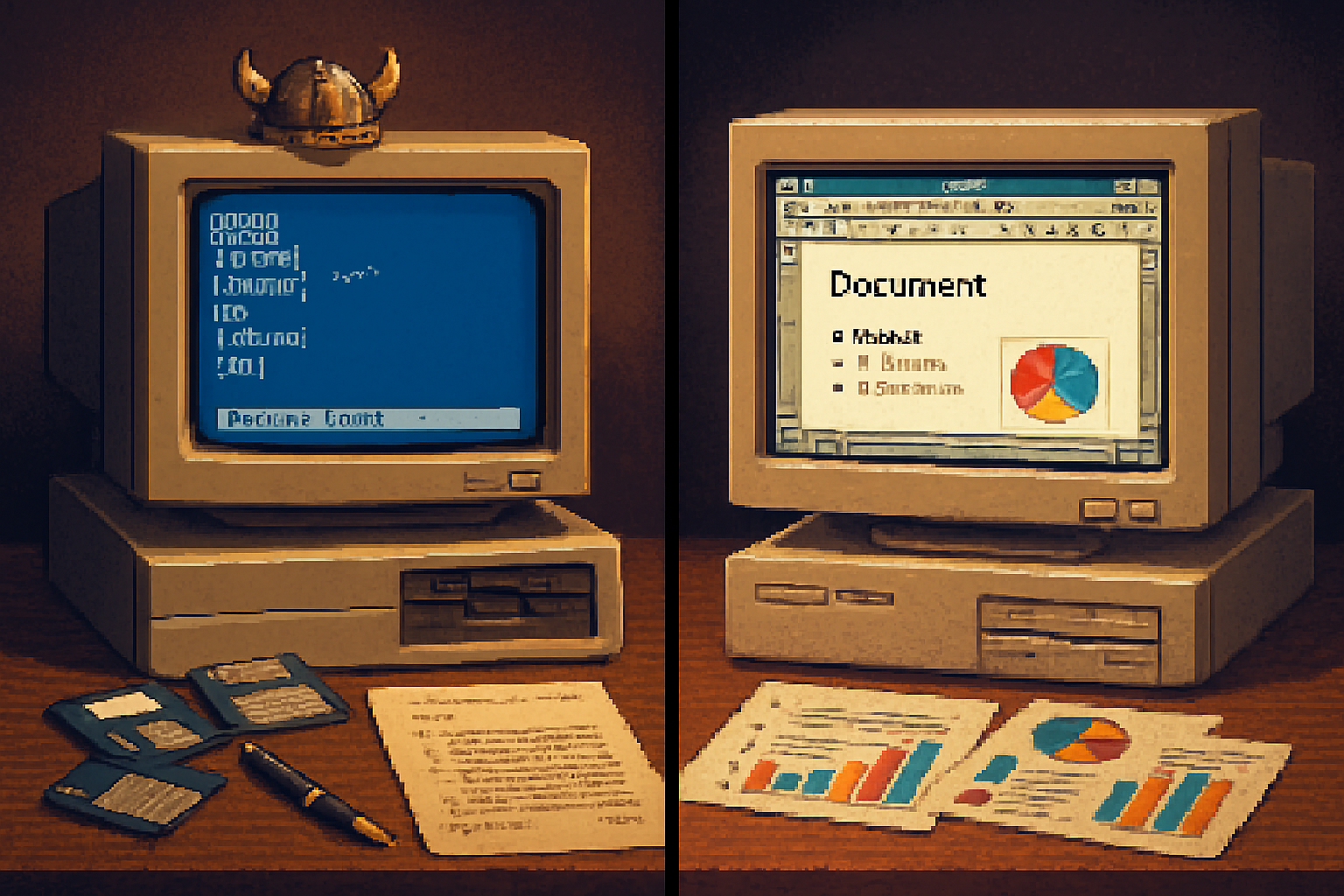
This was the WordPerfect vs. Microsoft Word era: less about syntax and more about soul. One program was a precision scalpel for people who understood-and worshipped-formatting minutiae. The other was a Swiss Army knife for a new world of graphical desktops and bundled suites. That clash shaped how corporate America wrote, litigated, printed, and, eventually, paid for software.
A short timeline: how a duel turned into a rout
- 1979–1980s - Word processing grows from tedium-avoider to business essential. WordPerfect, born from Satellite Software International, thrives on DOS as a fast, feature-dense product (
- Early 1990s - WordPerfect dominates the DOS market; Microsoft has Word on multiple platforms but not yet universal dominance (
- Mid-1990s - Windows becomes the battleground. Microsoft leverages Windows, Office bundling, aggressive licensing, and marketing to scale Word’s adoption, especially in enterprises and on new PCs (
- 1994–1996 - Novell buys WordPerfect, then sells the suite to Corel. Word walks away with market share. The reasons were partly technical, partly strategic, and mostly mercantile.
Two philosophies of word processing
Think of WordPerfect as a watchmaker and Microsoft Word as a department store that also sells watches.
WordPerfect - Control, predictability, and transparency. It exposed the Document’s construction with the beloved “Reveal Codes” feature, letting power users see and edit formatting commands directly. For lawyers, publishers, and anyone who needed reproducible, court‑ready documents, that was worshipful precision.
Microsoft Word - Integration, WYSIWYG convenience, and an eye toward the desktop metaphor. Word pushed toward a true “what you see is what you get” experience inside Windows, folded into a growing suite that bundled spreadsheets, email, and presentation software.
Both worked. But each solved a different human problem.
Feature face-off: what made users pick sides
Reveal Codes vs. WYSIWYG
- WordPerfect’s Reveal Codes was not a gimmick. It’s a direct look into the document’s formatting DNA-margins, tabs, fonts, manual breaks-so you could excise the problem rather than guess at it. Lawyers still rave about it because when filing deadlines loom, predictability beats prettiness.
- Word’s visual editing lowered the cognitive load for many users. Seeing the page look like it would print felt magical to newcomers, even if under the hood the document could be a tangle of styles and invisible marks.
Macros and automation
- Both offered macros; WordPerfect’s macros were powerful and beloved in vertical markets (legal, government) where repetitive, template-driven documents ruled.
- Word’s macro language and later VBA (Visual Basic for Applications) enabled broader office automation across Microsoft’s suite, making it a darling of IT departments and power users building cross-application workflows.
Printing and drivers
- Early WordPerfect was optimized for DOS printing environments and worked well across a range of printers via drivers. It felt fast on the modest hardware of the era.
- Word’s integration with Windows printing evolved rapidly, especially as GUIs and printers became richer and more standardized.
File formats and compatibility
- WordPerfect used its own formats (.wpd). It was excellent at preserving layout exactly as authored-useful for legal filings and formal templates.
- Word’s .doc (and later .docx) became a de facto standard because Word was everywhere. That ubiquity created a positive feedback loop - people used Word because others used Word.
The decisive battlefield: strategy, not superiority
Here is the blunt truth: the dominance of Microsoft Word was not purely a triumph of better engineering. It was a triumph of ecosystem, timing, and ruthlessly pragmatic business strategy.
- Windows first - Microsoft pushed Windows hard, and Word for Windows rode that wave. As companies standardized on Windows for its GUI and network features, Word’s Windows-native version became the obvious choice.
- Bundling - Word was bundled with Excel, PowerPoint, and later Outlook as Microsoft Office. For procurement officers, that bundle was an easy efficiency play. Buy one suite, get everything. No delicate negotiations with multiple vendors.
- Channel and OEM deals - Microsoft’s tight relationships with OEMs and enterprise licensing made Word ubiquitous on new PCs. The software wasn’t just good; it was the default.
That’s not to dismiss Word’s merits. Microsoft iterated quickly, leaned into GUI affordances, and invested in cross-app automation that mattered to IT departments. But marketing and packaging were as decisive as product design.
Where WordPerfect kept its altar: niches that remember
WordPerfect never entirely died. It lives like a cult classic car-out of mainstream, but cherished by communities who remember why the thing was built.
- Legal profession - Many courts, judges, and law firms continued to prefer WordPerfect for its predictable output and Reveal Codes. When your filing must render identically across systems, that predictability is not nostalgia; it’s risk management.
- Governments and legacy systems - Some institutions standardized on WordPerfect and kept cycles of training and tooling around it rather than invest in migration.
- Enthusiasts and purists - There’s a cultural memory of WordPerfect as the sophisticated tool for serious typists-like an old Leica for photographers.
Corel still maintains WordPerfect Office for these users, and the product endures as a living example of software that lost the market but not the soul.
Lessons for software and product strategy
- Feature excellence isn’t a firewall. Even brilliant niche features-Reveal Codes, performance on low RAM-can be overwhelmed by broader ecosystem advantages.
- Defaults matter. Being the packaged, preinstalled, or enterprise-preferred option can beat technical superiority in the long run.
- Niche technical fidelity builds loyalty. Even after market defeat, a product that solved a painful, real-world problem retains evangelists.
If you’re designing software today, take both sides seriously: craft delightful features for experts, but don’t ignore distribution, bundling, and ecosystems. Technical virtuosity without distribution is virtuosity that will be applauded by a small, very devoted audience.
A closing observation: victory tastes like inertia
Microsoft won not because Word was an immaculate instrument of typography-WordPerfect was often the more disciplined tool-but because Microsoft turned Word into the path of least resistance. People use what is easiest to obtain, easiest to support, and easiest to standardize.
Still, the WordPerfect faithful remind us that ease is not the only virtue. There are jobs-legal briefs, academic manuscripts, reproducible templates-where control, traceability, and predictability matter more than convenience. For those jobs, Reveal Codes was not a quaint throwback. It was a lifeline.
In the end, the WordPerfect vs. Microsoft Word story is not simply about winners and losers. It’s a parable about how software succeeds: not solely by being brilliant, but by being where the users are, speaking the language of procurement, and giving IT fewer reasons to say no.
Sources & further reading
- WordPerfect - Wikipedia: https://en.wikipedia.org/wiki/WordPerfect
- Microsoft Word - Wikipedia: https://en.wikipedia.org/wiki/Microsoft_Word
- Microsoft Office - Wikipedia: https://en.wikipedia.org/wiki/Microsoft_Office