· retrotech · 7 min read
Reviving Microsoft Works: What Can Modern Software Learn?
Microsoft Works was small, fast, and unabashedly useful. Its humble integration and friendly wizards solved messy, everyday problems. Modern productivity software-bloated, cloud-first, and fashionably segmented-could regain something important by reviving a few Works-era ideas. This article argues for a tasteful 'retro revival': compact, integrated workspaces, offline-first modes, template intelligence, and simpler mental models.
I still remember the first time I clicked “Works” on a friend’s 1997 PC. It didn’t look like software trying to impress you; it wanted to get a job done. No gaudy ribbons. No seven menus you needed to Google. A word processor, a spreadsheet, a database, a calendar - sensible, neatly packaged, and forgiving.
Most people who used Microsoft Works don’t remember its pixel art or its clip art menagerie. They remember the feeling: things composed, not complicated. That emotional economy is the thing modern productivity software has largely lost. In chasing extensibility, platform lock-in, and feature gladiators’ tournaments, we’ve traded a lot of calm usefulness for endless flexibility.
This piece argues for a measured, practical revival of the best parts of Microsoft Works - not nostalgia for nostalgia’s sake, but a blueprint: what to lift, how to modernize it, and why your next productivity product should borrow from a humble 1990s suite.
What Microsoft Works actually gave users
Before we get romantic, let’s be concrete. Microsoft Works delivered value through a handful of design choices that are painfully rare today:
- Single, consistent mental model - one app meant “home office basics” - you learned a few commands and they worked across modules.
- Tight integration - the word processor, spreadsheet and database could share data more easily than many modern toolchains.
- Low friction - tiny install size, quick launch, and small resource demand.
- Clear defaults - templates and wizards guided users toward common outcomes.
- Offline-first reliability - it didn’t assume you were always online or had a corporate account.
These aren’t flashy features. They are discipline.
(If you want the historical high-level summary, see the Microsoft Works page on Wikipedia.)
Why those design choices matter today
Software is a mirror of what designers honor. Modern tools honor modularity, the cloud, app-store extensibility, and platform consistency. Those are good things. But where cloud-first, connector-heavy software excels, it also creates friction:
- Cognitive overload - too many choices spread across separate apps.
- Performance debt - heavy clients, long start times.
- Privacy assumptions - everything lives in someone else’s server by default.
- Integration flakiness - glue code, sync conflicts, broken links between apps.
Microsoft Works’ guiding instincts - simplicity, sensible integration, local-first reliability - address those pain points.
A ‘retro revival’ playbook: features to bring back (and how to modernize them)
Here are concrete, implementable features modern productivity tools can steal from Works - updated for contemporary expectations.
1) Unified Workspace, Not Just a Launcher
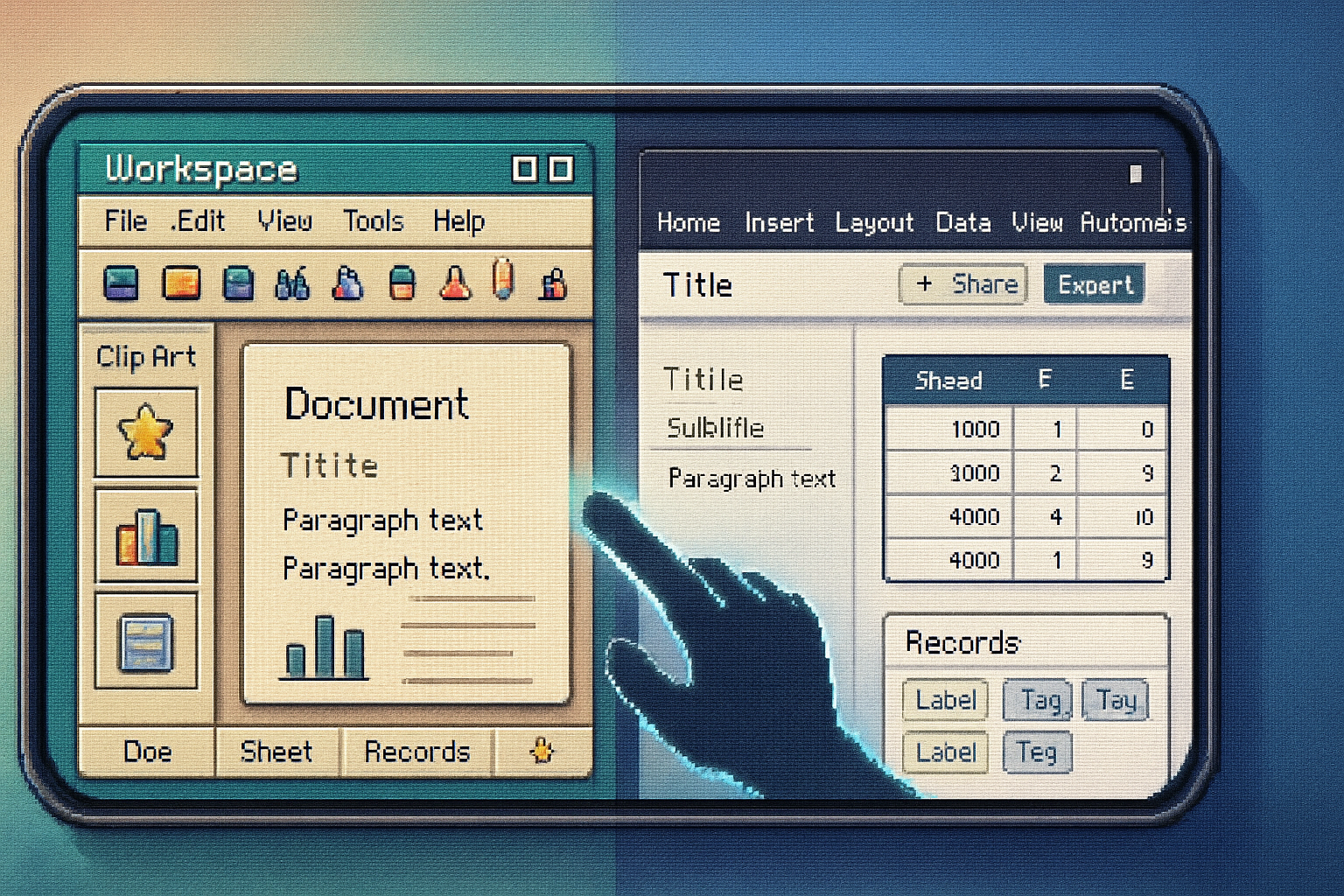
Bring back a single, coherent workspace where documents, spreadsheets, and simple databases live in one project container. Think of it as a “project folder with intent”:
- Single UI shell with tabbed or split views for doc/sheet/db/calendar.
- One-search, global commands (create, share, export).
- Shared contextual properties (people, tags, dates) available across modules.
Why modern apps need this: context-switching kills productivity. A unified container reduces permission friction and mental overhead.
2) Tiny, Offline-First Mode
Not everyone wants or needs the full cloud experience. Offer a slim local client designed for low-resource machines and intermittent connections:
- Fast startup, incremental loading, and a local-first data store.
- Optional background sync when online.
- Explicit privacy controls (data stays local unless you choose otherwise).
Trade-offs: you lose instantaneous multi-device collaboration, but you gain speed, privacy, and resilience.
3) Single-File Project Packages (but readable)
Works packages felt simple: an entire small project bundled. Modern variant:
- Store a project’s multiple artifacts (docs, sheets, attachments) in a single .project file - zipped but with human-readable JSON/ODF inside.
- Allow versioning metadata and easy exports to common formats.
This simplifies sharing (one file) while keeping interoperability (open internals).
4) Smart Templates and Guided Wizards
Wizards have a bad reputation from the 1990s, but the concept-guided scaffolding-remains powerful. Today, make them intelligent:
- Context-aware templates (project type + industry + role).
- AI-assisted starter content - fill a report, create a budget from bank CSVs, scaffold a client database with common fields.
- Progressive disclosure - advanced features hidden until needed.
This reduces decision paralysis without painting users into a corner.
5) Lightweight Inter-module Data Linking
Rather than heavy ETL connectors or brittle sync scripts, give users simple, transparent ways to link data:
- Drag a table cell into a doc - it becomes a live snapshot with an easy refresh button.
- Structured fields in documents that map to database records (e.g., client name auto-fills from client DB).
- Visual lineage UI showing where data came from and when it was last updated.
Transparency beats magic. Users will forgive less automation if it’s explainable.
6) Minimal Mode: Austerity as a Product Feature
Offer an explicit minimal mode: single-pane UI, keyboard-first, and focused templates. Use this for onboarding, kiosks, or people who just want to get a letter written.
Many apps have “power user” modes; fewer sell simplicity as a premium product choice.
7) Puzzle-piece Modularity - Not Greedy App Stores
Allow users to optionally add small modules: a simple mail-merge, a receipts scanner, a calendar sync. But keep them lightweight - downloadable micro-features, not new 500MB installs.
This respects storage-constrained devices and keeps the core fast.
Implementation notes & UX gotchas
- Use open formats where possible. People resent vendor lock-in; keep exports easy.
- Prioritize predictable defaults and visible actions. Defaults are not neutral - they teach users what matters.
- Embrace graceful degradation - local-first core with optional cloud augmentation.
- Accessibility and keyboard ergonomics should be central; Works’ keyboard-friendliness mattered to users.
Trade-offs will exist. Building a unified workspace can create complexity under the hood. The solution is not to avoid complexity but to hide it cleanly and to make failure modes visible and recoverable.
Where modern tech helps - and where it doesn’t
What the 1990s couldn’t do, modern tools can:
- AI for context-sensitive templates and auto-summarization.
- End-to-end encryption combined with optional cloud sync.
- Small, automatic transforms (CSV bank imports turned into budgets).
But some modern “advantages” should be questioned:
- Always-on cloud as default is convenient - and an easy privacy trap.
- Feature-bloat via endless integrations is a growth play, not always a product improvement.
It’s easy to confuse more connectors with better integration. Elegant integration preserves intent and visibility.
Concrete product ideas (quick prototypes)
- “Works Mode” for modern suites - a toggle that collapses the app to unified workspace + minimal tools, ideal for non-power users.
- “Project Pack” (.projx) - a single, portable project file containing docs, sheets, and metadata optimized for sharing with clients.
- “Starter Studio” - AI-backed template marketplace with curated, role-specific bundles.
- “SyncLite” - a local-first sync layer that resolves conflicts with user-guided merges and visible lineage.
Each idea is cheap to prototype and tells you whether users actually want humility in their tools.
A few counterarguments (and why they don’t stop the revival)
- “People want specialized tools.” True. But home users, small businesses, and students often prefer fewer decisions.
- “Cloud-only makes collaboration simpler.” It does - but not everyone is collaborating in real time, and many collaborations are ad-hoc and tolerate delayed sync.
- “Modern apps are ecosystem plays, not single products.” Agreed. But ecosystems can contain simple products, too.
The revival I propose is not a rejection of cloud or modularity. It’s a nudge back toward discipline: fewer, clearer choices; faster defaults; and projects that behave like human objects, not distributed microservices.
Small examples of where this would help right now
- Small law practices that still prefer a single file package for a client folder rather than 20 cloud links.
- Teachers assembling lesson packets with spreadsheets of grades and documents of rubrics - one project file would be easier to distribute and archive.
- Freelancers who need a fast invoice + client database, not a multi-app SaaS stack.
Final thought - why this matters
Software is not only a collection of features. It’s a relationship we form with tools. Microsoft Works didn’t win because it was nostalgic; it won because it respected users’ time and attention. It was unapologetically useful.
If today’s software regained that respect - prioritized clarity over feature glut, local reliability over mandatory cloud, and humane defaults over endless customization - we’d have fewer broken workflows and a lot more quietly satisfied people.
So here’s the challenge: build a tiny prototype in six weeks that offers a unified workspace, an offline-first core, and one intelligent template flow. If it delights two kinds of users - the busy parent writing a letter and the solo consultant building a budget - you’ve already proved the point.
What would you bring back from Works? Which feature would you modernize first? Drop a comment below and let’s sketch a revival.
References
- Microsoft Works (historical overview): https://en.wikipedia.org/wiki/Microsoft_Works