· retrotech · 8 min read
From Hobby to Innovation: How DIY Modding of the Apple II is Shaping New Tech
How hobbyist tinkerers are turning Apple II machines into platforms for modern creativity - plus a hands-on step-by-step guide to booting an Apple II from an SD card and adding a modern serial workflow.
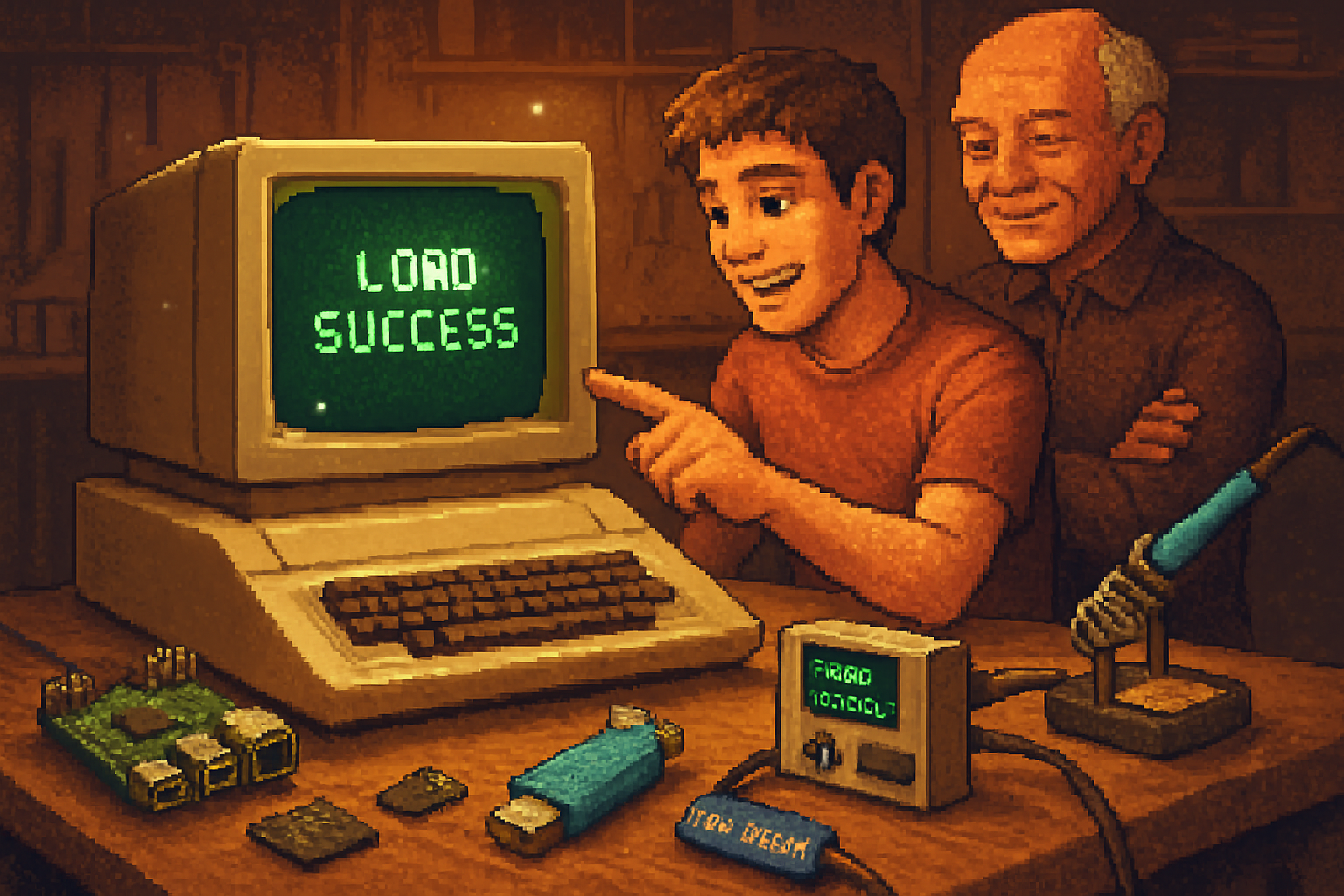
It began with a dusty beige box in a garage - a small, tinny monitor and a keyboard whose keys still remembered the 1980s. A retired engineer blew the dust off an Apple II, slid in a salvaged card, and whispered a command. The machine, relic and stubborn as a mule, booted not from a decade-old floppy, but from a microSD card in an emulation device the size of a pack of cards. A teenager watching from the doorway laughed, and then asked a simple question: “What else can it do?”
The answer, increasingly, is: a lot.
Why hack an Apple II in 2026? Because constraints breed invention
The Apple II is a constrained platform in the best sense - tiny RAM, modest CPU, crude graphics by today’s standards. Constraints force creativity. Hacking these machines is not just nostalgia. It’s a laboratory for thinking about software/hardware boundaries, low-level design, and resilient systems. What begins as a hobbyist’s tinkering often seeds ideas useful for education, small embedded systems, and even modern FPGA and preservation work.
Analogies help: think of the Apple II as a vintage engine block. You could polish it for the show. Or you could drop in a turbocharger and see how the old design responds. Modders do both.
The current scene - not just squinting at green text
A lively community has grown around modern Apple II modding. People replace failing floppy drives with SD-based emulators, add Ethernet and Wi‑Fi to machines that predate consumer networking, reproduce classic sound cards, and explore FPGA co-processors that speed up or extend original behavior. Enthusiasts publish schematics, open-source firmware, and step-by-step tutorials. The result is a cross-pollination between retrocomputing culture and contemporary maker practices.
Notable projects and resources to browse if you want to see the state of the art:
- The Apple II overview and its history - Wikipedia: https://en.wikipedia.org/wiki/Apple_II
- Floppy drive emulation and modern disk replacement (Floppy Emu): https://www.bigmessowires.com/product/floppy-emu/
- SCSI-to-SD solutions for older controllers (Scsi2Sd GitHub): https://github.com/akuker/Scsi2Sd
- Mockingboard (classic sound card) overview: https://en.wikipedia.org/wiki/Mockingboard
- Community troubleshooting and vintage hardware Q&A: https://retrocomputing.stackexchange.com/
- Vintage-hardware community projects and user stories: https://www.applefritter.com/
Three common, high-impact mods (what tinkerers are doing right now)
Replace flaky floppies with SD-based emulation
- Why - floppy drives die, motors seize, belts perish. SD cards are reliable and fast.
- Tools - Floppy Emu, CFFA/SCSI2SD-style devices, or custom Pi-based emulators.
- Result - instant booting of multiple disk images, near-instant backups, and easy distribution of software.
Add modern file and network bridges
- Why - transferring files via 5.25” disks is slow and brittle.
- Tools - Serial bridges (Super Serial Card + USB adapter), Raspberry Pi acting as a file server, or dedicated Ethernet cards made for Apple II.
- Result - use SCP/FTP/HTTP to get disk images into your retro machine. Host a BBS that the II can actually reach.
Extend sound and graphics, for art and music
- Why - the original audio/visual hardware is limited but charming. Upgrades let artists push the platform in new directions.
- Tools - Reproductions of Mockingboard, audio DAC add-ons, and FPGA-based video boards.
- Result - chiptune experiments, pixel art projects, and hybrid performances mixing old and new.
A practical project: Boot an Apple II from SD and set up a modern file workflow
Below is a compact, practical build that takes an Apple II from floppy-dependence to a usable modern workflow: use a Floppy Emu (disk emulator) to boot disk images from an SD card, and wire the Apple II’s serial path through a Super Serial Card to a Raspberry Pi for file transfer and terminal access.
This project is deliberately chosen: it is high-impact, low-risk, and uses components that have good documentation and community support.
Parts and tools (shopping list)
- Apple II with working power supply (II, II+, IIe, IIc variants have different connectors; consult the community for your model).
- Floppy Emu (models vary; pick one matching your drive type) - https://www.bigmessowires.com/product/floppy-emu/
- microSD card (8GB or larger), USB SD adapter for your desktop
- Super Serial Card (SSC) or an equivalent RS-232-compatible serial card for Apple II
- USB-to-Serial adapter (FTDI chipset preferred) OR a Raspberry Pi + level shifting depending on your approach
- Raspberry Pi (any modern Pi) for file server and serial terminal, or a laptop with a USB-serial adapter
- Basic tools - Philips screwdriver, anti-static precautions, short ribbon cables if needed
Safety note: vintage hardware can have capacitors and power supplies that may be dangerous. If you are uncomfortable opening old machines, ask a trusted repair-savvy friend or a community service.
Preparation: get your disk images and Floppy Emu ready
- Download or assemble Apple II disk images (.dsk, .nib, .2mg depending on the emulator compatibility). Public archives and community sites can help; check legal status before downloading commercial disk images.
- Format the microSD card as FAT32 on your desktop machine.
- Create a directory structure recommended by the Floppy Emu docs and copy disk images onto the card. Example (on macOS/Linux):
# inside your SD card root
mkdir -p Apple2/Disks
cp ~/Downloads/*.dsk Apple2/Disks/- Insert the microSD into the Floppy Emu and connect the Floppy Emu to the Apple II floppy port. Follow the Floppy Emu manual for correct cable and selector settings.
Booting
- Power on the Apple II with the floppy emulation device attached.
- Use the Floppy Emu’s menu (or rotary selector, depending on model) to select an image to emulate as drive 1.
- At the Apple II prompt, issue a cold boot (Control-Key-Reset or switch to ROM soft switch depending on model) so it attempts to read from the emulated drive.
Expected behavior: the Apple II should load the disk image just as if a real floppy had spun up. If it fails, double-check cable orientation, image compatibility, and whether the model mapped as 5.25” or 3.5” drives.
Setting up serial transfer using Super Serial Card + Raspberry Pi
Goal: exchange disk images (or plaintext) between a modern machine and the Apple II without floppies.
- Install the Super Serial Card (SSC) into the Apple II (usually a slot card). Consult Apple II model docs for slot numbering.
- Connect an RS-232 serial cable from the SSC to your USB-to-serial adapter. If you are using a Raspberry Pi, you can connect via a USB-serial adapter to the Pi, or use a USB adapter on your laptop.
- On the Raspberry Pi (or laptop), install a serial terminal program. On Pi/Debian:
sudo apt update && sudo apt install picocom
picocom -b 9600 /dev/ttyUSB0
Adjust baud (9600, 19200, or whatever the SSC and software expect). Test that typing in the terminal sends characters to the Apple II and vice versa.
- Use terminal software on the Apple II that supports serial file transfers (Kermit, XMODEM clients, or bespoke utilities). On the Raspberry Pi side, use a compatible send utility. Example using ‘sx’ for XMODEM:
# on the host (Pi or laptop)
sx -X file.dsk < /dev/ttyUSB0 > /dev/ttyUSB0
On the Apple II, run the corresponding receive command.
Tips: serial transfers are slower than SD-based file copies but give you an interactive console and are perfect for sending small utilities and bootstrappers.
Combining methods
A common workflow: use Floppy Emu for fast local booting of disk images, and use serial + Raspberry Pi to push new or modified disk images to the SD card (or to the Floppy Emu) when you need to update software from a modern machine.
Troubleshooting cheat-sheet
- Nothing happens on boot:
- Verify Floppy Emu is in the right interface mode (5.25” vs 3.5” mapping).
- Check cable connectors and pin orientation.
- Garbled serial output:
- Mismatched baud rate or wrong parity/stop bits. Try 9600/8N1 first.
- Voltage-level mismatch - RS-232 vs TTL - ensure you have the correct adapter.
- Disk image won’t load:
- The image format may not be compatible (nib vs dsk differences). Consult emulator docs.
Where this leads: beyond repairs to new ideas
Hobbyist success stories sometimes incubate broader innovation. A couple of trends to watch:
- FPGA-based retro-accelerators - learning from Apple II timings can inform soft-core designs used in low-power embedded devices.
- Pedagogy - the Apple II remains a superb teaching tool for low-level programming and system architecture because what you do has immediate, visible consequences.
- Art and performance - musicians and visual artists hybridize chip-era sounds with modern controllers.
A community that can restore and reimagine old hardware is a community that keeps hardware literacy alive. Those skills - soldering, timing analysis, protocol reverse-engineering - are practical. They are also quietly subversive. When you teach someone to coax a 40-year-old CPU into networking, you teach them to question the sealed black box.
Final notes and ethical bits
- Respect copyrights. Many disk images are still under copyright and distributing them freely can be illegal.
- Practice safety. Old power supplies and capacitors can be hazardous. If in doubt, ask.
- Share back. The retro community thrives on shared schematics, notes, and failures.
If you take anything from this piece, let it be this: the Apple II is not just a relic you preserve under glass. It’s a small laboratory of trade-offs. Tinker with it, and you’ll learn something about how things work - and possibly invent a neat little trick you hadn’t seen before. The past is useful. It is also malleable.
References & further reading
- Apple II - Wikipedia: https://en.wikipedia.org/wiki/Apple_II
- Floppy Emu (disk emulator) - Big Mess o’ Wires: https://www.bigmessowires.com/product/floppy-emu/
- Scsi2Sd - GitHub: https://github.com/akuker/Scsi2Sd
- Mockingboard - Wikipedia: https://en.wikipedia.org/wiki/Mockingboard
- Retrocomputing Stack Exchange (community Q&A): https://retrocomputing.stackexchange.com/
- AppleFritter (user projects & discussion): https://www.applefritter.com/