· retrotech · 7 min read
The Evolution of Photoshop: From Clunky Windows Experience to Modern Marvel
A nostalgic and analytical walk through Photoshop’s transformation - from the jittery, palette-heavy Windows ports of the 1990s to today’s GPU-accelerated, AI-assisted Creative Cloud powerhouse - and what those changes meant for creativity, speed, and the way we work.
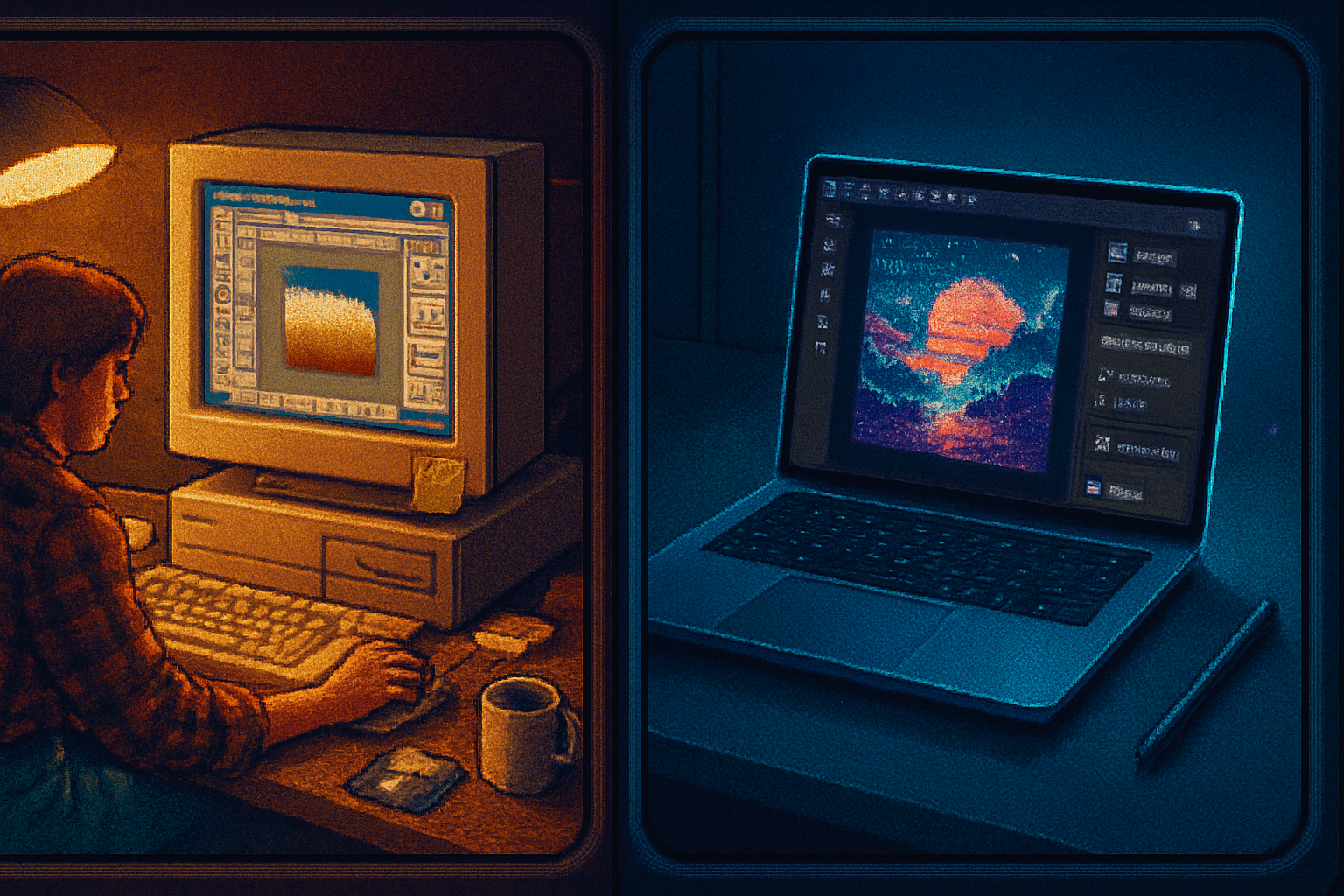
I once watched a grad student coax a 1990s-era PC into accepting a 300‑dpi scan. The machine churned, a small progress bar in a resizable dialog crawled forward, and the student gave a solemn prayer to the gods of RAM. When the file finally rendered, Photoshop kept one eye open and the other locked on the system clock - ready to crash the moment you asked it to rotate the layer.
That slow, anxious relationship with software is the starting point for a useful story: Photoshop wasn’t built in a day, and its Windows incarnations taught an entire generation how to be patient. They also taught us how radically powerful software can become when the interface, hardware, and business model evolve together.
The clunky charm: What early Windows Photoshop felt like
If you remember Photoshop from the 1990s or early 2000s, you remember a few things clearly:
- Floating palettes - a scattered constellation of tools and dialogs that you nudged around the screen like paper notes.
- Modal dialogs - actions that stopped everything until you told them to continue.
- Limited memory and 16/24-bit displays - which meant heavy dithering, frequent crash menus, and long waits when applying filters.
Those editions were not just visually old-fashioned. They shaped workflows. You planned edits ahead because an expensive filter could mean several minutes of waiting. Non-destructive workflows were aspirational; layers existed (and were game-changing), but many people still flattened often simply to save memory and file size.
Historically informed readers will note that Photoshop’s origins were Mac-first; Windows versions followed and matured through the 1990s and early 2000s. For a compact timeline and more context, see Adobe’s and Wikipedia’s histories of the product: Adobe Photoshop overview and Adobe Photoshop - Wikipedia.
Interface: From palette chaos to contextual calm
Then:
- A million tiny buttons, endlessly movable palettes, and tool icons that looked like tiny stick sculptures.
- Mode-heavy operations that required deep menu-dives.
Now:
- A dark, unified UI with contextual panels that show what you need when you need it.
- Responsive toolbars, collapsible panels, and workspaces tailored to photography, painting, design, or web.
The change is greater than aesthetic. It’s cognitive. The older UI told you how to use the program - you hunted tools and learned the ritual. The modern UI instead reduces friction and centers creative intention. It’s like shifting from navigating a wilderness map to using a GPS that murmurs, “Turn here.”
Tools and features: the slow accretion of power
Photoshop’s toolbox grew from a handful of devastatingly useful primitives into a Swiss Army knife for pixels.
Key inflection points:
- Layers and masks - introduced early and far-reaching - they turned destructive pixel sculpting into a discipline of reversible, composable decisions.
- Adjustment layers and smart filters - part of the steady move toward non-destructive editing.
- Healing, patching, and content-aware algorithms - the tools for retouching became more human-like - able to infer texture and light instead of crude cloning.
- Camera Raw, Smart Objects, and vector-aware tools - bridged the gap between raw photography and layout precision.
- AI and generative tools - Neural Filters, Generative Fill and other AI-assisted tools that can propose edits, remove objects, or reimagine content with a click.
Each layer of functionality altered behavior. Where photographers once braved multiple destructive passes and saved verbose versioned filenames (final_final2.psd), modern editors experiment freely with adjustment layers, versions, and cloud documents.
Performance and architecture: from single-threaded to GPU-aware, cloud-enabled beasts
Early Photoshop versions were constrained by single-threaded CPUs, limited RAM, and slow hard drives. The user was often an exercise in triage: flattening layers, reducing bit depth, or choosing fewer filters.
Modern Photoshop leverages:
- 64-bit memory addressing (so your machine can actually use large amounts of RAM).
- GPU acceleration for rendering and filters.
- Multithreaded processing where possible.
- Cloud Sync and cross-device files so your desktop file can be continued on an iPad.
The result: an editor that keeps you in flow. What once required ritual and patience now yields instant experimentation.
File formats, compatibility, and the PSD ecosystem
PSD was always more than a file type - it was a contract: layers, channels, blending settings, metadata. But PSDs grew heavier and more complex. The modern era introduced companion formats (like PSB for very large files) and moved toward more interoperable, web- and cloud-friendly assets.
Backwards compatibility became a tradeoff. New features can bloat files or render poorly in older clients. Adobe softened this with smart objects, export options, and cloud documents - but the essential tension remains: progress vs. portability.
Plugins, scripts, and extensibility: from hobbyist hacks to professional ecosystems
In the early days, plugins were scrappy and brilliant - third-party authors released filters that felt magical. Today, the plugin ecosystem is professional, curated, and often commercial. Scripting moved from an arcane niche to a first-class automation path (Actions, JavaScript scripting, and integration with tools like Adobe Bridge and Lightroom).
Automation transformed repeatable tasks: retouching pipelines, batch exports, and templated workflows that used to take hours can now be scheduled or triggered automatically.
Business model: pay-once era vs. Creative Cloud
The shift from perpetual licenses to Creative Cloud is both practical and moral.
- Practical - Continuous updates, cloud backups, collaborative features, and access to a whole suite of apps. You get new features (often AI-based) delivered without reinstalling.
- Moral/political - Subscription models allocate ongoing costs to users and centralize control. For some freelancers the steady monthly fee is worth the convenience. For others it feels like hostage rent on tools they’ve used for decades.
That tradeoff changed how teams operate. Agencies embraced versioning, shared libraries, and cloud assets. Solo artists adapted their budgets - some balked, some surrendered, and a few prospered.
Creativity and workflows: how the tool reshaped imagination
The practical consequence of these changes is profound:
- Faster iteration leads to riskier, bolder choices. When a destructive filter no longer costs you hours, you try stranger things.
- Non-destructive workflows encourage compositional thinking. Adjustment layers and masks don’t merely fix images; they invite you to sculpt until the narrative is right.
- AI features reallocate time. Routine tasks - background removal, frequency separation, color matching - get automated, while human creatives focus on concept, mood, and storytelling.
But there’s a subtle danger: complacency. When a tool can place a photorealistic sky for you, context and judgement become the scarce skills. Training your eye remains the real craft.
A few concrete comparisons (early Windows editions vs. latest Photoshop)
- UI - Floating, modal, and memory-hungry vs. contextual, dark-themed, and responsive.
- Speed - Disk-bound, single-threaded operations vs. GPU-accelerated, multithreaded, cloud-assisted operations.
- Editing philosophy - Often destructive and cautious vs. default non-destructive and experimental.
- Collaboration - None or file-based sharing vs. cloud documents, libraries, and real-time collaboration.
- Intelligence - Manual clone-and-heal vs. content-aware algorithms and AI-driven generative tools.
What was lost - and what was gained
Lost:
- The ritual that forced discipline. When waiting was built into the process, you planned steps carefully. That discipline can matter in complex composites.
Gained:
- Speed, flexibility, and creative bandwidth. You can prototype five different directions in the time it once took to render one.
- More accessible power. Hobbyists can do work that looked professional two decades ago.
Where Photoshop (and image editing) is headed
Expect two continuing currents:
- Deeper AI integration. Not as a magic wand that does everything for you, but as an assistant that accelerates craft. Expect better semantic understanding, faster generative fills, and tools that suggest rather than decide.
- Distribution-first workflows. Cloud-first assets, responsive design exports, and closer ties to video, 3D, and web formats.
The central ethical and creative question will remain: how do we keep human judgment central when tools can do so much? The answer isn’t to disable the tools. It’s to train the eye, the narrative sense, and the critical mind.
Final note: nostalgia is useful, but don’t live in it
There’s real affection for the early, clunky Photoshop. Those days taught patience and resourcefulness. But nostalgia can blind you. Photoshop today is not merely a faster, shinier toy. It’s a different instrument that demands different skills: faster critique, better conceptual framing, and a keener sense of when automation helps and when it masks weakness.
In short: the software changed - and we changed with it. That’s progress. Treat it like oxygen; don’t notice it until it’s missing. Then learn to breathe a little better.
References
- Adobe Photoshop official page: https://www.adobe.com/products/photoshop.html
- Wikipedia - Adobe Photoshop: https://en.wikipedia.org/wiki/Adobe_Photoshop