· retrogaming · 6 min read
Emulators vs. Original Hardware: The Great CD-i Debate
A deep, candid look at whether nostalgia is best served by the whir of a Philips CD-i player or the silky convenience of modern emulation. Pros, cons, and practical advice from collectors, gamers, and preservationists.
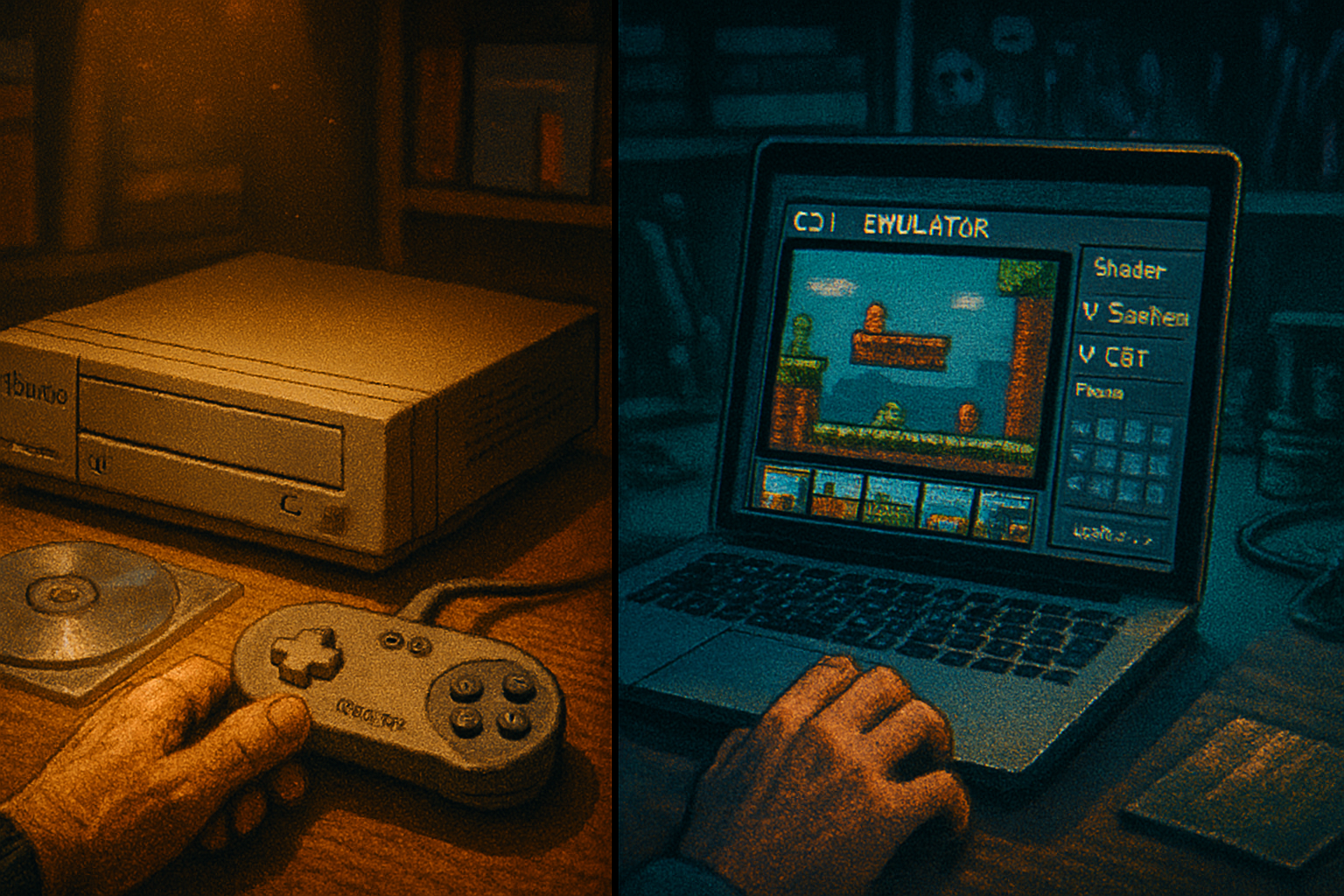
It began at a flea market, under a pile of VHS tapes and the moral residue of a ’90s garage sale. I found a dusty Philips CD-i player: beige, slightly smug, with a remote the size of a paperback. For ten dollars, I could rescue a relic. For twenty, I could resurrect an excruciating slice of gaming history - Hotel Mario’s infamy included - in all its original glitchy glory.
That moment is the hinge of the CD-i debate: do you chase authenticity - the warmth of analog video, the original controller’s spongy buttons, the click of a motorized tray - or do you surrender to emulation, with its painless saves, upscaling, and instant access to a vast library?
This article is a pragmatic, occasionally ruthless tour through both sides. We’ll listen to collectors who worship hardware, gamers who just want the game to work, and tech experts who treat both as necessary players in preservation.
Why the CD-i stirs strong opinions
Philips’s Compact Disc Interactive (CD-i) sits in a peculiar niche of videogame folklore: not quite a console, not quite a success, but stubbornly visible. It arrived when multimedia hype met expensive hardware and produced an ecosystem of curiosity, educational titles, and a handful of games that have become cult curiosities.
People care because the platform is weird in a way modern systems rarely are. The quirks - both endearing and maddening - are precisely what some collectors want to preserve verbatim.
What emulation gets right
- Convenience and access - Emulators put dozens of CD-i titles on a single machine. No more swapping discs, no dead lasers, no region headaches.
- Preservation and backup - Discs degrade. Emulation lets archivists preserve content that would otherwise be lost to rot and obsolescence. See the broader discussion on video game preservation for context
- Quality-of-life features - Save states, rewinding, speed control, and modern controllers make otherwise-punishing games playable.
- Enhanced display - Modern scaling, framebuffer filters, and shader-based CRT simulation can make old graphics readable on today’s screens.
- Debugging and research - Emulators are indispensable for researchers and developers who want to understand how games were built or to create accurate ports.
For readers who want a straight, usable game library and the chance to experience rare titles without hunting for hardware, emulation is the rational choice.
What emulation can’t (or shouldn’t) perfectly reproduce
- Hardware idiosyncrasies - Timing quirks, audio artifacts, and video sync oddities sometimes define the feel of an experience. Emulators approximate; they don’t always reproduce.
- Peripheral peculiarities - The CD-i used nonstandard controllers and CD-audio handling. Haptics, the click of a particular button, the throw of a slow analog control - those tactile elements are lost without the hardware.
- Legitimacy and ritual - For many collectors, the ritual of powering on original hardware, sliding in a disc, and watching the bassy startup jingle is part of the experience. Emulation is a fast food version of that ritual. Tastier, yes. Not the same.
Voices from the community
A collector: “You can’t fake the smell of a condom wrapper stuck to the inside of a cartridge. Original hardware tells stories that emulation can’t.” (Paraphrased. Collectors are sentimental and occasionally forensic.)
A gamer: “I just want to play. If an emulator gives me save states and a shader to hide the blurs, I’m in. Who wants to babysit a dying laser?”
A tech expert / preservationist: “Emulation is a tool - essential for preservation and study - but we should treat it with humility. Emulators often get the logic and not the pathology of hardware. Both matter.”
These are compressed, anonymous perspectives, but they capture the typical fault lines: ritual vs. convenience, authenticity vs. access.
Legal and ethical considerations
The law around ROMs, BIOS dumps, and disc images is messy and jurisdiction-specific. Creating or downloading disc images without owning the original medium is often illegal. Preservationists sometimes argue for fair use or exemptions, but those arguments meet resistant copyright holders.
If you’re leaning toward emulation for preservation rather than piracy, document provenance, prefer dumps made by reputable archivists, and respect takedown requests when they occur. Read up on the broader landscape of emulation and its legal debates Wikipedia - Emulator (computing).
The case for original hardware - why collectors are right (often)
- Authentic experience - Original hardware delivers timing, video artifacts, and controller feel exactly as intended.
- Investment and rarity - For collectors, hardware is an object of desire. Condition matters.
- Social and display value - A working CD-i on a shelf is both a conversation piece and a statement of stewardship.
Practical downsides: hardware ages. Optical drives fail, electrolytic capacitors dry out, and analog video outputs require careful matching to modern displays.
The case for emulation - why gamers and archivists are right (also often)
- Practicality - Emulation removes barriers to entry. You don’t need 3 amps of vintage gear and a soldering iron to enjoy a game.
- Safety - Using images means you can protect fragile media from repeated handling.
- Researchability - Emulators enable state inspection, memory dumps, and other research that hardware alone cannot provide.
Moral downside: a world where everything is emulated and no one maintains hardware would lose a class of historical artifacts.
Practical advice: when to choose which
- If you want atmospherics, authenticity, and the collector’s bragging rights - buy original hardware. Inspect laser function, caps, and connectors. Factor in display solutions (composite vs RGB vs upscalers).
- If you want to play, preserve, or study - use emulation. Build a small, well-curated library and keep notes on provenance.
- If you care about both - do both. Preserve discs and BIOS dumps, and keep a running emulated reference while maintaining one or two working hardware units for display and verification.
Checklist for collectors (quick):
- Test the disc tray and laser with multiple discs.
- Check that the unit outputs stable video on both NTSC/PAL where relevant.
- Inspect the controller connectors and remotes.
- Ask about prior repairs and seek units with documented service history.
Checklist for emulator users (quick):
- Use reputable dumps from preservation-minded archives where possible.
- Keep multiple images and checksums; verify integrity over time.
- Use shaders and upscalers thoughtfully; don’t rely on them to mask emulation inaccuracies.
Preservation is not an either/or proposition
Here’s the blunt, slightly unpleasant truth: a world in which only collectors keep hardware alive and everyone else emulates casually is fragile. Hardware decays. Emulation without careful provenance and legal thought can be ethically dubious.
The responsible path blends both approaches. Keep hardware alive for the unique signals it produces. Use emulation to amplify access, enable scholarship, and protect fragile originals.
Final verdict - because readers like closure
If you want fidelity to experience - the ritual, the feel, the marginal artifacts - hunt down original hardware. If you want immediate access, study, and playability, emulation is superior. If you care about history, do both: preserve originals and maintain clean, documented images for public access and research.
The Philips CD-i won’t win any awards for restraint. It demands patience, a willingness to forgive weird UI choices, and sometimes a soldering iron. But it also rewards curiosity. Whether you are an old-school collector who believes hardware is the last honest witness of an era, or a pragmatic gamer who wants the experience without the effort, the debate shouldn’t be about winners. It should be about custody - who maintains these artifacts and how.
Further reading
- Philips CD-i overview: https://en.wikipedia.org/wiki/Philips_CD-i
- Emulation explained: https://en.wikipedia.org/wiki/Emulator_(computing)
- Video game preservation: https://en.wikipedia.org/wiki/Video_game_preservation