· retrogaming · 8 min read
Is It Worth It? A Comparative Analysis of Popular Nintendo 64 Emulators
A hands-on, no-nonsense comparison of the leading Nintendo 64 emulators. We test compatibility, performance, UI, and graphics enhancements to decide which emulator is best for everyday players, modders, and purists.
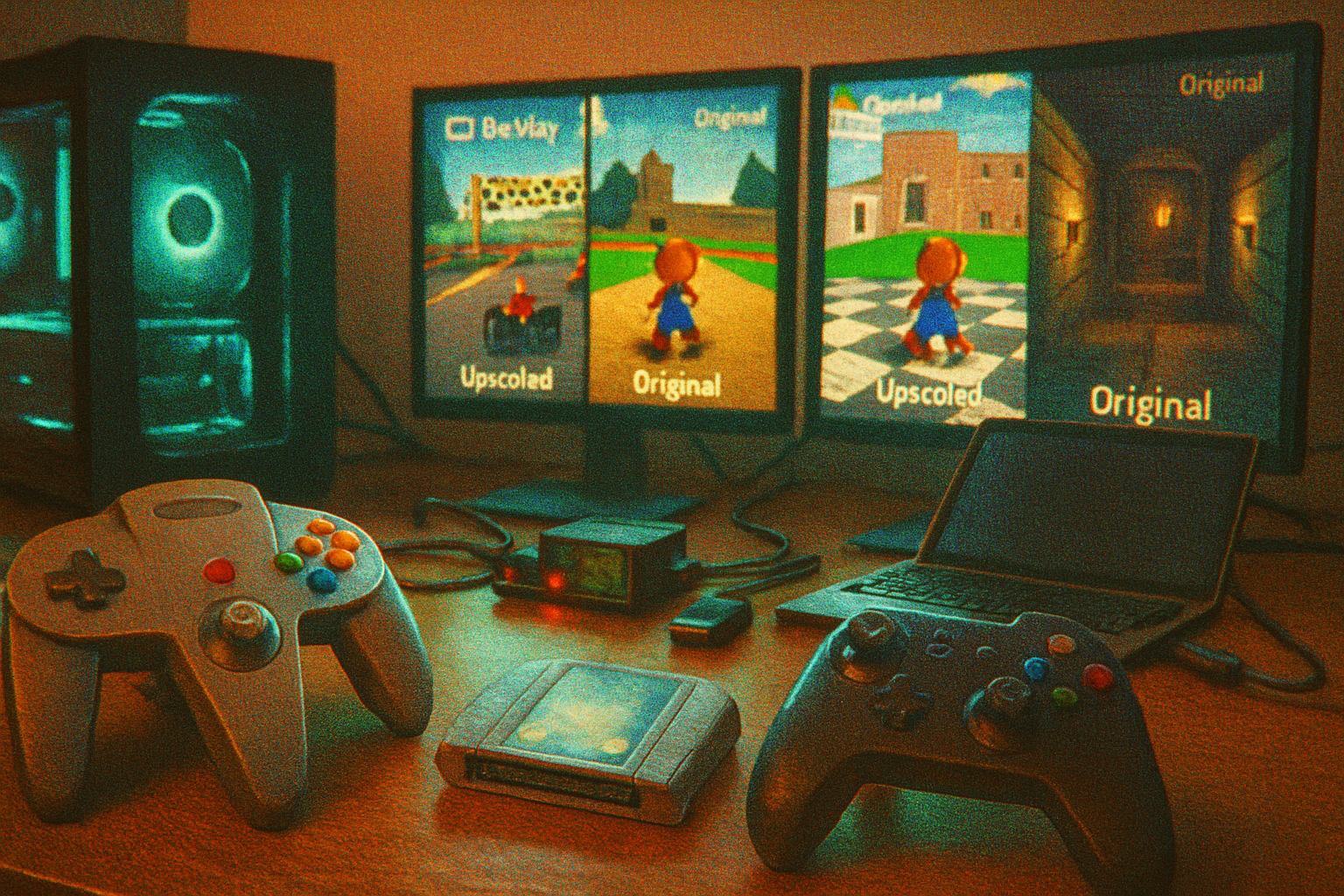
I still remember the first time I ran Ocarina of Time on an emulator: the polygonal hero looked a little too sharp, the fog behaved oddly, and a texture pack made Kokiri Forest look like a high-res fantasy screensaver. I felt triumphant and guilty at once - triumphant because it worked, guilty because something intangible about the original had been smoothed away.
Emulation is a strange kind of archaeology. You’re trying to resurrect a machine that behaved badly on purpose: jittery clocks, idiosyncratic graphics hardware, and microcode that games used as a sly toolkit. Some emulators aim to be user-friendly time machines. Others chase authenticity like monks copying texts. Both approaches have virtue. Both are picky about system requirements.
This article compares the emulators you actually will consider: Project64, Mupen64Plus (and its GUI frontends), RetroArch cores, ParaLLEl N64, CEN64, and the graphics plugins that matter (GLideN64, angrylion). We’ll talk compatibility, performance, UI, and - the part most people care about - how pretty your games can get.
Why this matters
- Nostalgia is not neutral. An emulator that runs everything at 4K with bloom and anisotropic filtering can be joyous - or blasphemous - depending on what you’re trying to do.
- Some emulators are convenience-first; others are fidelity-first. Which you choose shapes your experience and your hardware needs.
Quick primer (for absolute newcomers)
- “Compatibility” - how many games run, and how faithfully.
- “Performance” - framerate and practicality on your hardware.
- “UI” - how easy it is to set up controllers, save states, shaders, and texture packs.
- “Graphics enhancements” - texture packs, shaders, anti-aliasing, and fixes for N64-specific quirks.
The contenders
- Project64 - the long-time Windows favorite. Easy, accessible, plugin-friendly.
- Mupen64Plus - cross-platform, modular, used a lot by Linux and macOS users.
- RetroArch (Libretro cores) - an ecosystem, not a single emulator; multiple N64 cores exist here.
- ParaLLEl N64 - modern, Vulkan-based, focused on accuracy and using high-quality renderers.
- CEN64 - cycle-accurate, gloriously correct, and glacially slow.
Graphics tools that change everything
- GLideN64 - a modern OpenGL/Vulkan plugin that supports texture packs, high-resolution rendering, and many fixes. It’s the go-to for sharper N64 visuals.
- angrylion’s RDP (and forks) - a per-pixel accurate software renderer. Extremely accurate but expensive in CPU cycles. Often the backend of choice for purists.
Authoritative sources and further reading
- Project64 official site: https://www.pj64-emu.com/
- Mupen64Plus (GitHub): https://github.com/mupen64plus
- RetroArch / Libretro: https://www.libretro.com/
- ParaLLEl N64 (GitHub): https://github.com/ITotalJustice/ParaLLEl-N64
- GLideN64 (GitHub): https://github.com/gonetz/GLideN64
- angrylion RDP (GitHub): https://github.com/libretro/angrylion-rdp-plus
- CEN64 (GitHub): https://github.com/nitsuj-cen64/cen64
- N64-specific compatibility notes: https://n64.wiki/
Deep dive: how they behave in four dimensions
- Compatibility (which games work)
Project64 - Very high compatibility with mainstream titles (Super Mario 64, Ocarina of Time, GoldenEye, Mario Kart 64). It historically required plugins for tricky games, but those have improved. Some edge-case titles that rely on obscure microcode or timing might misbehave.
Mupen64Plus - Comparable compatibility, slightly better on some Linux/macOS setups because it’s maintained with cross-platform nuances in mind. Works with many frontends (M64Py, mupen64plus-ui) that make setup easier.
RetroArch cores - Depends on the core. “Mupen64Plus-Next” cores generally match Mupen’s compatibility. The ParaLLEl core (when present) trades compatibility in a few cases for vastly improved rendering accuracy.
ParaLLEl N64 - Excellent for games that stress the RDP (rendering pipeline). Some unusual homebrews or copy-protected carts may still hiccup, but mainstream titles look right.
CEN64 - The most faithful reproduction of N64 hardware that’s publicly available. Its compatibility is theoretically perfect for the games it targets, but it’s very slow and incomplete as a usable daily driver.
Verdict on compatibility: Project64 and Mupen64Plus are your lowest-friction bets. ParaLLEl is a top choice for rendering-correctness; CEN64 is a research-level tool.
- Performance (how well it runs on modern hardware)
Project64 - Generally lightweight. On a modest modern PC you’ll usually get full speed on most games. Add GLideN64 and you need a decent GPU for high-res rendering.
Mupen64Plus - Efficient, especially in optimized builds. CPU-bound in some scenarios; performance varies by frontend and plugins.
RetroArch - Overhead is minimal. Performance depends on the core. Cores that use software renderers (angrylion) are expensive.
ParaLLEl N64 - Requires a modern GPU and Vulkan drivers. When configured properly it can run well and push high internal resolutions with stable framerates, but it’s not a magic bullet - certain accuracy modes are costly.
CEN64 - Slow. Not recommended for casual play. This is for validation, debugging, and the rare soul who wants cycle-for-cycle fidelity.
Verdict on performance: Project64 or Mupen64Plus win for everyday play. ParaLLEl wins for high-quality rendering if you have the GPU for it. CEN64 loses unless you’re a scientist.
- User interface & usability
Project64 - User-friendly GUI, easy controller mapping, drag-and-drop ROM loading, save states, cheat support. A minor controversy: historical bundling with third-party software in older builds - check the source you download from. The community remains large, so tutorials and texture packs abound.
Mupen64Plus - CLI-first heritage. GUIs like M64Py bridge the gap. Slightly more fiddly on Windows than Project64; on Linux it’s the obvious choice.
RetroArch - Powerful but layered. Once you understand it, it’s unbeatable for centralizing multiple systems, shaders, and controllers. But the learning curve is real.
ParaLLEl N64 - Usually used as a core or a standalone with fewer bells and whistles. Expect more manual setup if you want to tweak accuracy vs. performance.
CEN64 - Not user-friendly. Expect command-line configuration and lots of patience.
Verdict on UI: Project64 for Windows newbies; RetroArch for multi-system enthusiasts; Mupen64Plus for cross-platform tinkerers.
- Graphics enhancements & mods
GLideN64 - The most important tool for texture packs and modern effects. It supports high-res textures, custom shaders, and fixes for the N64’s weird fog and blending.
angrylion’s RDP (software) - The gold standard for accuracy. It reproduces the N64 rasterizer per-pixel which eliminates many visual bugs but costs CPU cycles and typically prevents many fancy shader effects.
ParaLLEl N64 + angrylion - This combination is a route to get both accuracy and performance improvements (with hardware acceleration for other parts). The result: incredibly faithful visuals with reasonable speed on modern GPUs.
Examples (concrete):
Ocarina of Time - On Project64+GLideN64 you can have crisp textures and linear filtering that reduces blockiness. With angrylion you get correct fog and alpha blending (some modern effects intentionally break in inaccurate renderers).
GoldenEye 007 - This game abuses RSP microcode and timing. Project64 and Mupen64Plus run it smoothly, but subtle music/timing or multiplayer edge-cases might require a different core or plugin.
Perfect Dark - Supports high-resolution textures well under GLideN64, but certain polygon sorting bugs in cheaper renderers can cause visual glitches. angrylion fixes many of these.
Practical recommendations by user type
If you want “set it and forget it” (Windows) - Project64 + GLideN64. Easy controller setup, lots of texture packs, and community guides.
If you run Linux or macOS - Mupen64Plus + GLideN64 (or RetroArch core). More work to set up, less hand-holding, but solid.
If you want archival accuracy or to debug rendering - angrylion-based setups or CEN64. You’ll need patience and horsepower.
If you want the best of both worlds and your hardware is modern - RetroArch with the ParaLLEl core (or standalone ParaLLEl) using angrylion for accuracy where necessary and GLideN64 for high-res stuff. Expect configuration work.
How much does hardware matter?
- CPU - Important for software renderers (angrylion) and for certain RDP emulation paths.
- GPU - Required for GLideN64 at high internal resolutions and for ParaLLEl’s Vulkan acceleration.
- RAM - N64 itself was modest; modern texture packs can increase memory usage.
A quick-buy guide
- Laptop with integrated graphics and casual play - Project64 with default renderer.
- Mid-range desktop GPU (GTX/RTX 10xx / AMD equivalent) - Run GLideN64 at 2–4x internal resolution comfortably.
- High-end GPU (modern Vulkan support) - ParaLLEl N64 with advanced settings and higher accuracy modes.
The legality caveat (say it once, clearly)
You must own the original cartridge to legally use a ROM in many jurisdictions. Emulators are legal software; distributing game ROMs when you don’t own them is not. If you’re tinkering, dump your own game images and be proud of your technical hygiene.
Final verdict: which one “reigns supreme”?
- For most users - Project64 (Windows) - easiest, fast, huge community, plugin ecosystem.
- For cross-platform users and hobbyists - Mupen64Plus + GLideN64 - flexible, reliable, community-supported.
- For retro purists and people who want pixel-perfect reproduction - ParaLLEl N64 (with angrylion where needed) or CEN64 if you can stomach the slowdown.
- For multi-system, centralized emulation with shader chains and convenience - RetroArch with the appropriate N64 core.
In other words: there is no single throne. There is a spectrum, and on that spectrum the choice is about values.
- Want convenience and immediate gratification? Choose Project64.
- Want cross-platform control and openness? Choose Mupen64Plus/RetroArch.
- Want accuracy and are willing to pay in setup and CPU/GPU cycles? Choose ParaLLEl or angrylion/CEN64.
Parting image: the museum, the lab, and your living room
If emulation is a museum, some emulators are polished dioramas: pretty, safe, and slightly interpretive. Others are labs: noisy, exacting, and occasionally infuriating. And some are your living room - the compromise you live with and love. Pick the posture you want. The N64 will still be strange and beautiful. The triangle-shaped controller will still feel weird. And, somehow, you will keep finding ways to make it look better than Nintendo ever intended.
No links to downloads here - if you want to try these tools, start from the official project pages linked above and the active community forums and wikis.