· culture · 8 min read
Compaq for the Modern Age: Retro Tech That Still Holds Up
A practical, hands-on guide to vintage Compaq machines - which models survive in the wild, which are worth updating for modern use, and exactly how to bring them back to life without turning them into museum props.
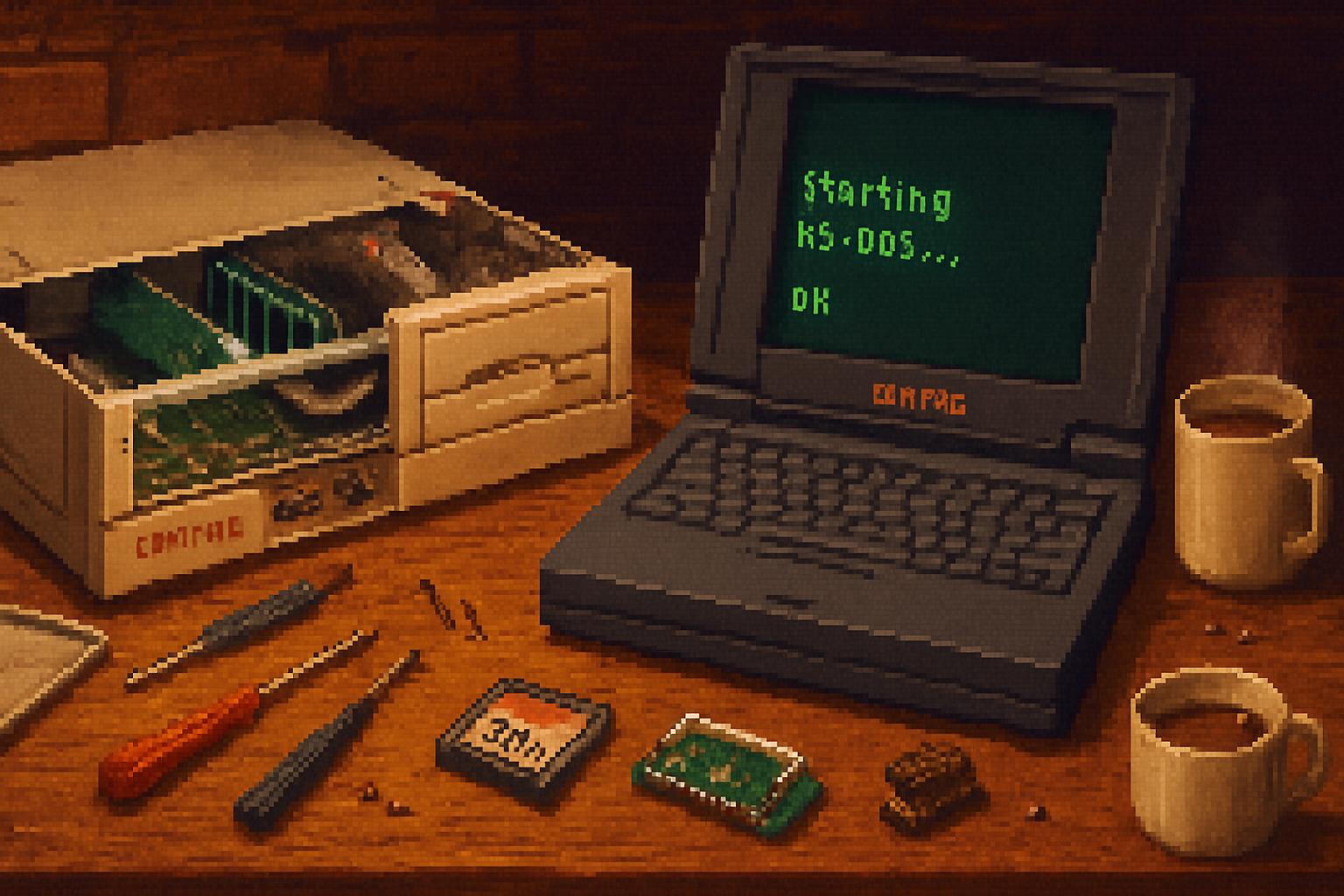
I found a Compaq Portable tucked under a heap of yellowing manuals at a yard sale once - the original luggable, like a small safe that also happened to boot CP/M and the future. It smelled of old plastic and optimism. A little keyboard, a green monochrome that still glowed. It was useless for browsing the web. And it was perfect.
This is the gentle contradiction at the heart of collecting Compaqs: they are at once historically consequential and stubbornly useful. Compaq made machines that mattered - the company was literally founded to make IBM-compatible PCs - and they built them like bank vaults. Many of those machines, with a few modern concessions, can still do work you actually care about: low‑latency MIDI, vintage gaming, writing with a distraction-free word processor, or acting as a purpose-built appliance (web terminal, local server, or media player for old formats).
Below is a practical guide: which Compaq models age well, what upgrades make sense, pitfalls to avoid, and how to balance preservation with use.
Why Compaq still matters
Compaq was the first company to successfully clone the IBM PC BIOS cleanly enough to be commercially competitive, and they did it with engineering rigor. Their business and consumer lines were often overbuilt, with better cooling, smarter chassis layout, and - crucially for retro upgraders - predictable expansion paths.
See the company history for the full origin story: https://en.wikipedia.org/wiki/Compaq
Which models are worth rescuing (and why)
Not all old computers are equal. Here’s a quick field guide:
Compaq Portable (1983) / Portable II
- Why - The machine that proved clones could win. Great for museum pieces and as a conversation piece.
- Upgrade potential - Very limited. Preserve, clean, and replace capacitors and supply if necessary.
Compaq Deskpro 386 / 486 (desktop towers)
- Why - Robust, widely compatible, easy to open and upgrade. Excellent for authentic DOS/Windows 3.1/95 experiences.
- Upgrade potential - High - faster CPUs (Socket or OverDrive), additional SIMMs, CF-to-IDE for storage, ISA or VLB expansion cards.
Compaq LTE / Armada (early laptops)
- Why - Among the first well-engineered IBM-compatible notebooks. Good balance of portability and upgradeability for their era.
- Upgrade potential - Moderate - IDE 2.5” drives -> CF/SD adapters, RAM upgrades, PCMCIA expansion (Ethernet, Wi‑Fi via PCMCIA adapters), battery replacement.
Compaq Presario (consumer desktops/laptops from the late 1990s)
- Why - Affordable, common, and often contain Pentium II/III hardware which is capable of light modern use (Linux, email, basic browsing for non-heavy sites).
- Upgrade potential - Decent - standard 2.5”/3.5” drives, RAM, sometimes PCI/AGP graphics.
Compaq Portable 386/Portable 486 (later luggables)
- Why - Novel, fun to run legacy software and games. Good for authenticity.
- Upgrade potential - Same as comparable desktops of their generation - moderate.
If you want a machine you can tinker with daily, target late‑486 to Pentium II era hardware. If you want authenticity on a plaque, get the earliest portables and leave them mostly stock.
Practical upgrades that actually help
Think of upgrades as oxygen: invisible until it’s missing. These are the ones I actually recommend.
Storage - CompactFlash (CF) or SD adapters to replace spinning hard drives
- Benefit - Faster (for old IDE buses), quiet, lower power, no mechanical failure from little shocks.
- How - Buy a 2.5” IDE-to-CF adapter for laptops or a 3.5” IDE-to-CF adapter for desktops. Use them with the machine’s BIOS; format and install your OS normally.
- Reference - CompactFlash overview -
Memory - Match the right SIMMs/SO‑DIMMs
- 386/486 - 30‑pin SIMMs; late 486 and early Pentium: 72‑pin SIMMs; laptops use SO‑DIMMs depending on generation.
- Buy on eBay or vintage vendors. Check maximum supported by the motherboard.
Network - NE2000-compatible ISA cards for desktops; PCMCIA Ethernet/Wi‑Fi for laptops
- Why - Let the vintage machine talk to the network. NE2000 clones are widely supported by old DOS/Windows drivers and Linux.
- PCMCIA Wi‑Fi can give older laptops internet access via a simple AP bridge.
Power and batteries
- Replace leaking batteries immediately and check for corrosion. Many laptop NiMH packs can be replaced with modern substitute packs or a donor battery.
- Desktop power caps - check for bulging or leaking electrolytic capacitors; replace as needed.
- General repair guides: https://www.ifixit.com/
BIOS and CMOS
- If the machine has a BIOS update from the manufacturer, read the release notes carefully before flashing. Keep a backup of original ROMs when possible.
CPU upgrades - cautiously
- Some 486 systems accept OverDrive CPUs or higher-clocked socket CPUs. Gains are real but temper expectations; the rest of the platform (chipset, ISA bus) limits scaling.
Displays and backlights (laptops)
- Backlight failure on CCFL panels is common. Replacing inverters or converting to LED is possible but fiddly - consider an external monitor if you want reliability.
Software choices: what to run and why
Your software stack should respect the machine’s strengths.
Authentic retro experience
- DOS + Windows 3.1/95. Great for period games, WordPerfect, and nostalgic workflows.
- Use genuine drivers from WinWorld or original manufacturer archives: https://winworldpc.com/ and community help at https://www.vogons.org/
Modern lightweight utility
- For Pentium MMX / II-era Compaqs, try Puppy Linux (https://puppylinux.com/) or antiX (https://antixlinux.com/). These run acceptably and give you a networked machine for email, light web, and SSH.
Emulation vs. hardware
- For casual play or convenience, emulate a Compaq on your modern machine with DOSBox (https://www.dosbox.com/) or PCem. But keep the original if you want the soundcard idiosyncrasies and tactile keyboard.
Buying checklist - what to look for at a flea market or on eBay
Quick inspection saves money and disappointment:
- Does it power up? If not, is it the PSU or the machine? Check for smoke or smell of burnt components.
- Battery leakage - a brown or white crust near the battery compartment is a red flag.
- Screen condition - dead pixels, cracks, or missing bezel parts can be costly to fix.
- Missing ports, badges, or drive bezels mean the seller scavenged it for parts.
- BIOS password - many old laptops have user passwords. Recovering them is possible but annoying.
- Check the model number and revision; some boards differ only slightly and have vastly different upgrade paths.
Pricing sanity check: common laptops and Presarios often go for $20–$100. Rare portables and pristine Deskpros with boxed accessories can fetch hundreds to thousands, depending on collectors.
Preservation vs. modernization - a philosophy
There are two camps: preservationists who keep a machine unfingered and pristine, and pragmatists who patch in modern parts so the old case can still be used daily. Both positions are valid. My rule: when a change is reversible and doesn’t destroy serial numbers, it’s fair game. Replacing a fragile spinning drive with a CompactFlash adapter? That’s reversible and sensible. Desoldering the original ROM chip and replacing it? Not unless you have a documented reason.
A few concrete builds you can replicate
The Authentic Deskpro 486 workstation (for DOS/Windows gaming)
- Hardware - Deskpro 486, 32–64 MB 30‑pin/72‑pin SIMMs as appropriate, CF-to-IDE for storage, ISA sound card (Sound Blaster Pro), NE2000 ISA NIC if you need network.
- Software - MS‑DOS + Windows 3.11, classic games and productivity software.
The Portable Writer (laptop for distraction-free writing)
- Hardware - Compaq LTE (or Armada) with working keyboard, CF adapter or small IDE drive, RAM to max supported, reliable AC supply.
- Software - Lightweight Linux (Puppy) or a text-only DOS setup with WordStar or a modern terminal-based editor over SSH to another machine.
The Modernizer (late 1990s Presario converted to a light daily driver)
- Hardware - Presario Pentium II/III, 512–1024 MB RAM, SATA/IDE SSD (or CF with adapter), PCI Wi‑Fi or USB if supported by kernel.
- Software - antiX or lightweight Debian with LXDE - decent for email, lightweight browsing, and file serving.
Common pitfalls and how to avoid them
- Old capacitors - electrolytics dry out. Swap them or the PSU will fail eventually.
- Incompatible RAM - vintage machines are picky about interleaving and SIMM pairing - document the motherboard manual and populate slots accordingly.
- Vendor drivers - some PCMCIA or ISA cards lack modern drivers. Check community repositories or stick with NE2000 clones known for broad support.
- Overeager BIOS flashing - only flash if you need the fix. If the machine is stable, don’t risk bricking a historic board.
For community troubleshooting and drivers, see VOGONS: https://www.vogons.org/
Resources - where to get parts and information
- WinWorld - archive of old OSes and drivers: https://winworldpc.com/
- VOGONS (forums) - active community for retro PC help: https://www.vogons.org/
- iFixit - general repair guides and tool recommendations: https://www.ifixit.com/
- Old‑Computers Museum - reference on vintage models: https://www.old-computers.com/museum/
- CompactFlash background for storage swaps: https://en.wikipedia.org/wiki/CompactFlash
Final note - why you should try one
Restoring a Compaq is an act of historical empathy. It’s a physical argument against the throwaway habits of modern gadgetry. You’ll curse at BIOS quirks and love the satisfying clack of a vintage keyboard. You’ll learn more about how computers actually work in a weekend with a screwdriver than you would reading a dozen review sites.
Take one home. Give it clean power, a reliable storage device, and some patient software choices. Let it do one thing well. Then sit down at that old keyboard and type. The machine won’t pretend to be a modern laptop. It won’t lie. And sometimes that’s the point.