· retrotech · 7 min read
Back to the Future: Reviving AltaVista’s Features for Today’s Web Browsers
What if browsers brought back the purposeful, power-user-friendly search features of AltaVista but without the clutter and privacy sins of the 1990s? This essay proposes a modern reincarnation-practical UI, privacy-preserving architectures, and community layers-that would make search more humane, precise, and resilient.
It’s 1997. You’ve got dial‑up, a glossy magazine that swears the web will change your life, and a search page that declares, with almost comic bravado, “All the web. All the time.” AltaVista felt like a cathedral for information - busy, noisy, occasionally mystical. It did things that felt, at the time, surprisingly useful: fielded operators, filetype hunts, multilingual tricks, cached pages you could actually rely on. Google would later make search invisible and eerily efficient. AltaVista was visible. It told you how to wrestle with the web and let you win.
That blunt usefulness is worth rescuing. Not because we should resurrect 56k aesthetics or the pop‑up pollutocracy of the late 1990s, but because some of AltaVista’s ideas-advanced queries, inline translations, cached resilience, and community contributions-solve real problems that modern browsers and search engines either hide or monetize away.
In this piece I’ll walk through which AltaVista features deserve a second life, why browsers are the best place to put them, and how to do it without recreating the web’s previous messes.
What AltaVista got right (and what it taught us)
AltaVista’s legacy is not nostalgia; it’s a menu of practical tools. Here are the highlights that still matter:
- Advanced search operators and fielded queries. AltaVista made people feel like they could talk to the web with specificity - search within a domain, by file type, combine terms with boolean logic. That’s power.
- Cached snapshots. When sites vanish or change, caches are research gold. AltaVista cached reliably; today you rely on a mix of Google cache, the Wayback Machine, and hope. See the Wayback Machine for why caches matter.
- Inline translation (Babel Fish). AltaVista shipped tools that made multilingual browsing immediate instead of an enterprise project. See Babel Fish’s history.
- Search customization and transparency. AltaVista’s approach allowed users to choose how the engine behaved instead of accepting a black‑boxed ranking.
- Early forms of “search as research” - giving users tools rather than hiding them behind a single, opaque result ranking.
None of these are magical. They are ergonomics and agency. They treat users like investigators rather than passive recipients.
Why modern browsers are the right place to bring these ideas back
Think of the browser as the operating system for the web. It controls the UI most users see and can provide hard guarantees about privacy, storage, and offline behavior that websites cannot.
- Local-first indexing - browsers can maintain optional, encrypted local indexes for faster and private advanced search (no sending every query to a server).
- Extension and standards layer - features can ship as extensions first, then evolve into web standards (or built‑in browser panels).
- UI affordances - the omnibox, sidebars, developer tools, and context menus give natural places to surface advanced search and community features.
In short: build these features in the browser and you get performance, privacy, and discoverability.
Features to revive - and how they should work today
Below are practical, implementable features inspired by AltaVista, reframed for 2025 browsers.
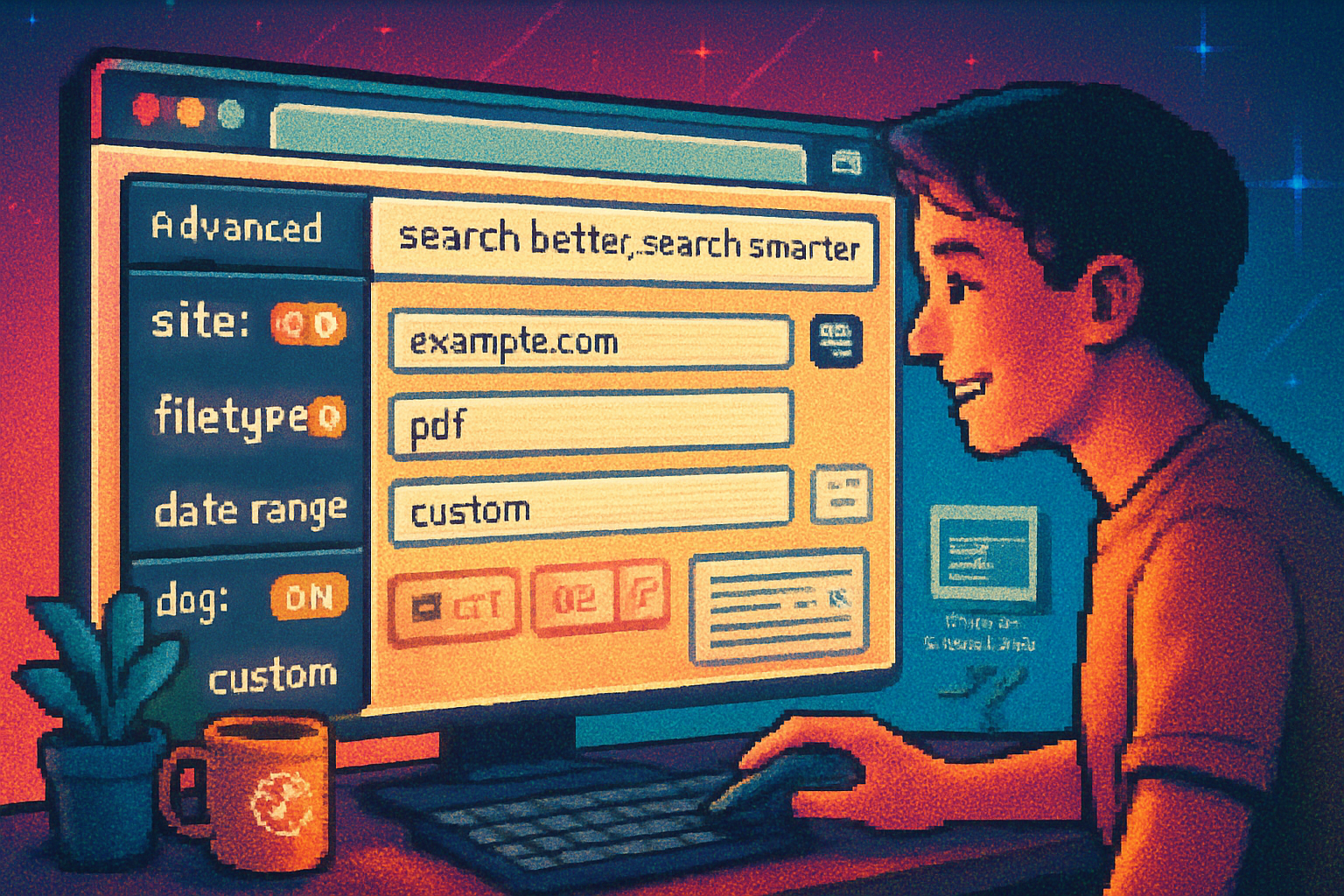
1) Advanced Query Builder (not a command line)
The problem with operators is discoverability. People either memorize strings or give up. The remedy: an interactive builder that converts human intent into precise queries and shows the effect immediately.
UI idea:
- A compact sidebar or dropdown in the omnibox with toggles - “site:”, “filetype:”, date range, language, exact phrase, proximity (NEAR), negative terms.
- Live preview of results (first 5) and a natural‑language explanation of the query.
Example query (what users build with buttons):
site:gov filetype:pdf "climate change" -opinion after:2018Why it matters: empowers journalists, students, and curious humans to slice the web without memorizing syntax.
2) Local, Privacy‑Preserving Index & Fast Cached Snapshots
Bring caches back - but make them private. A browser could offer optional local snapshotting:
- When you visit a page, the browser stores a compressed snapshot and extracts metadata (title, headings, text snippets, filetypes), encrypted on disk.
- The local index can be queried by the Advanced Query Builder, giving instant search across visited pages and cached content (great for research and offline browsing).
- Integrate optional background crawling for bookmarked domains (user opt‑in) to create a personal offline corpus.
This solves link rot and makes search reproducible.
3) Inline Translation Lite - fast, contextual, private
Instead of shipping everything through a central translation API, browsers can offer two tiers:
- Client‑side translation engines (WebAssembly + on‑device models) for quick phrase and paragraph translation.
- Cloud fallback (opt‑in) for large documents with a clear privacy notice.
The result: instant Babel‑Fish style translation without forcing your content through unknown servers. (See historical context in the Babel Fish page.)
4) Community Annotations & Contributions Layer
AltaVista didn’t have Reddit, but its era gestured at community directories and human curation. Modern browsers can revive the useful parts without the toxicity.
Design principles:
- Decentralized annotation overlays (user‑hosted or federated). Think Hypothesis but built into the browser sidebar with moderation and provenance badges. See Hypothesis for how annotation can work.
- Reputation-light, moderation-strong - allow domain-level moderation and community curators to prevent abuse.
- Contribution types - tags, short summaries, warnings (outdated, broken), and suggested search refinements.
Privacy note: contributors’ identities and histories should be opt‑in and auditable.
5) Multiple Ranking Models & Meta‑Search Toggle
One of AltaVista’s strengths was its willingness to be configurable. Today, a browser could let you toggle ranking lenses:
- “Freshness” - prioritize new content.
- “Authority” - prioritize citations and links.
- “Privacy‑safe” - prefer results from privacy‑respecting engines.
- “Scholarly” - prefer PDFs, domains with .edu or recognized repositories.
Under the hood this is a meta‑search approach: query multiple endpoints and merge results according to user‑chosen heuristics.
6) Research‑Mode: Search Sessions, Snapshots & Citations
Researchers lose context easily. A built‑in Research Mode could:
- Group queries into sessions.
- Keep snapshots, highlight passages, and auto‑generate citation snippets (with cached permalink).
- Export session packages (search graph + cached pages) for reproducibility.
This is the modern answer to AltaVista’s researchy usefulness.
Implementation outline (practical, incremental)
Ship this in phases so it’s not vaporware:
- Browser extension prototype. Provide the Advanced Query Builder and local snapshotting as an opt‑in extension that uses IndexedDB + WASM indexer.
- Federated annotation plugin. Use existing protocols (ActivityPub or a Hypothesis‑compatible backend) so communities can host their own layers.
- Native integration for translation and ranking lenses. If uptake is real, browser vendors can add native APIs and optional baked‑in models.
Technical notes:
- Local index - SQLite + FTS5 or a Wasm port of a modern search engine (e.g., Tantivy) for speed.
- Security - snapshot encryption, careful same‑origin rules for annotations, opt‑in telemetry only.
- Privacy - default to local‑only; cloud features opt‑in with clear consent.
Objections and trade‑offs (because there always are some)
- Complexity vs. simplicity - power features risk overwhelming casual users. Answer: progressive disclosure. Keep the default simple; surface advanced tools to those who ask.
- Moderation & abuse - any community layer can be weaponized. Answer: require provenance, domain moderation controls, and dispute tools.
- Business models - search engines monetize query streams. A privacy‑forward reincarnation needs alternative funding-browser vendors, subscriptions, or community sponsorships.
- Manipulation of ranking models - exposing multiple lenses helps combat a single manipulated ranking, but it increases the attack surface for adversaries to game niche lenses. Countermeasure: transparent scorecards and model provenance.
A day‑in‑the‑life example
Imagine you’re writing a policy brief on urban heat islands:
- You pop open your browser, type the phrase, and toggle Research Mode.
- You limit results to PDFs and government sites, then add a date filter for the last five years using the Advanced Query Builder.
- The browser shows cached snapshots of dead links from your colleague’s bibliography pulled from your local cache and the Wayback Machine.
- You find a foreign language municipal report; inline translation shows a paragraph and an exported citation you can paste into your draft.
- A side panel annotations layer flags that a particular report was retracted; a curator notes the correction and links to an updated dataset.
And you finish with something better than a generic top‑result paragraph because you had the tools to be surgical about evidence.
Design maxims (short and sharp)
- Make power accessible, not obligatory.
- Prefer local-first defaults; cloud only when necessary and consented.
- Be transparent - show how results were ranked and where they came from.
- Treat community contributions as signals, not authorities.
Final pitch: why this matters
Search changed from a tool into a product-and in that conversion, we lost facets of agency. AltaVista’s legacy isn’t about brand nostalgia; it’s about a design ethic: give humans tools that let them interrogate information, not just ingest it. Putting those tools back into the browser - with modern privacy, UI, and community design - doesn’t make the web retro. It makes it more humane, defensible, and useful.
The net will get louder. We should build the ergonomics that let people tune it down, focus, and find what matters. AltaVista taught us how to ask better questions. The browser can teach us how to live with the answers.